Free Online
File Tools & Converters
Compress, convert, and edit your files with our powerful online tools.
No registration required. Processing methods and file limits vary by tool and device.
⭐ Most Popular Tools
The tools everyone is using right now. Quick, easy, and effective.
PDF Compressor
Reduce PDF size by rendering pages as images; text may become non-selectable.
Image Compressor
Re-encode JPEG, PNG, or WebP images and compare the output size.
Word to PDF
Convert Word documents to PDF format instantly.
JPG to PDF
Convert images to a single PDF document.
PDF to Word
Convert PDF files to editable Word documents.
Merge PDF
Combine multiple PDFs into one document effortlessly.
Split PDF
Split a PDF into separate pages or custom page ranges.
Sign PDF
Add signatures to PDF documents securely.
Crop Image
Advanced cropping with shapes & presets.
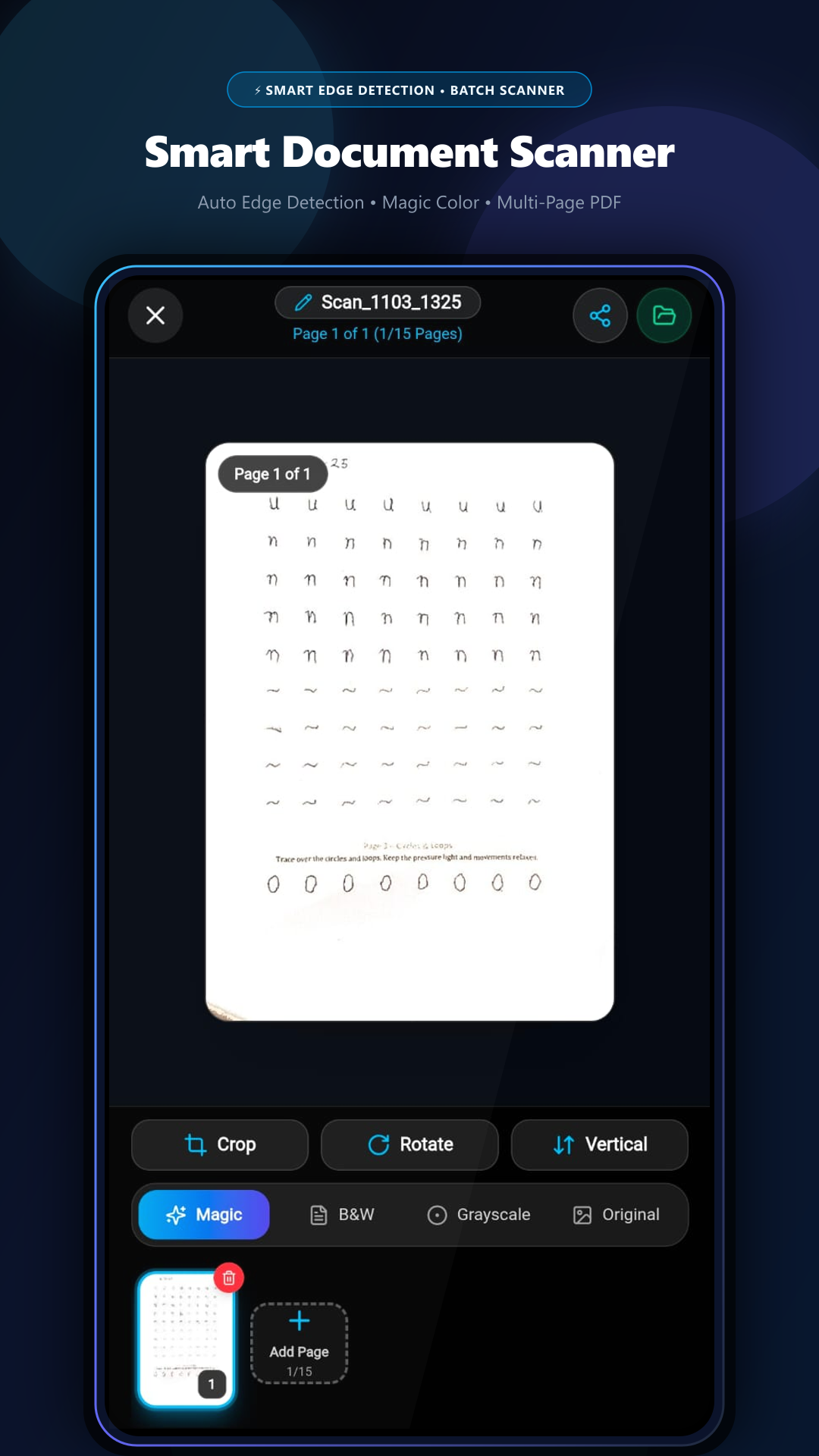
Scan & Edit Documents Anywhere with GenZDoc for Android
Hardware camera scanner with auto-edge capture, 70% PDF compressor, visual page organizer, and digital e-signatures — all running 100% offline on your phone with zero cloud leaks.
All Tools by Category
Browse our complete collection. Found a bug or need a new tool? Let us know!
Image Tools11 tools
Photo Editor
Advanced photo editing with precise controls & filters.
Image Compressor
Re-encode images and compare output size and quality.
Image to JPG
Convert PNG, WebP, HEIC, GIF to JPG.
Resize Image
Resize images to specific dimensions.
JPG to PNG
Convert JPG images to transparent PNG format.
Crop Image
Advanced cropping with shapes & presets.
Rotate Image
Rotate and flip images by any angle.
Watermark Image
Add text watermarks to photos.
Meme Generator
Create memes with custom text.
HTML to Image
Convert HTML/CSS to PNG or JPG.
Convert from JPG
Convert JPG to PNG, WebP, GIF, BMP.
PDF Tools17 tools
PDF Compressor
Reduce PDF size by rendering pages as images; text may become non-selectable.
Merge PDF
Combine multiple PDFs into one.
Split PDF
Split PDF into pages or custom ranges.
Rotate PDF
Rotate PDF pages 90°, 180°, or 270°.
Watermark PDF
Add text watermarks to your PDFs.
Page Numbers
Add page numbers to PDF documents.
Protect PDF
Add password protection to PDFs.
Unlock PDF
Remove password from PDF files.
Organize PDF
Reorder and delete PDF pages.
Extract Pages
Extract specific pages from PDF.
Remove Pages
Delete unwanted pages from PDF.
Redact PDF
Black out sensitive information.
Sign PDF
Add signatures to PDF documents.
Edit PDF
Add text annotations to PDFs.
Compare PDF
Compare two PDF files.
Repair PDF
Fix corrupted PDF files.
Crop PDF
Trim margins from PDF pages.
Conversion Tools10 tools
JPG to PDF
Convert images to a single PDF document.
PDF to JPG
Convert PDF pages to images.
Word to PDF
Convert Word documents to PDF.
PDF to Word
Convert PDF to Word documents.
Excel to PDF
Convert spreadsheets to PDF.
PDF to Excel
Convert PDF to spreadsheets.
PowerPoint to PDF
Convert presentations to PDF.
PDF to PowerPoint
Convert PDF to presentations.
HTML to PDF
Convert web pages to PDF.
PDF to PDF/A
Convert to archival format.
Why GenZDoc?
We built this because file conversion shouldn't be complicated or expensive.
Free tools
Use the public tools without creating an account. Check each page for current limits and options.
Online File Tools
Open the tool you need in your browser and follow its on-page instructions.
Processing Details
Each tool page explains its supported files, processing method, and limits.
Works Everywhere
Use on any device - desktop, tablet, or mobile.
Ready to Get Started?
No credit card required. No email sign up. Just your files and our powerful tools.
Frequently Asked Questions
Common questions about our free online PDF and image tools